.png)
Vector in C++ STL
A Complete Internal, Theoretical, and Practical Guide
1. What Is a Vector in C++?
In C++, a vector is a dynamic array provided by the Standard Template Library (STL).
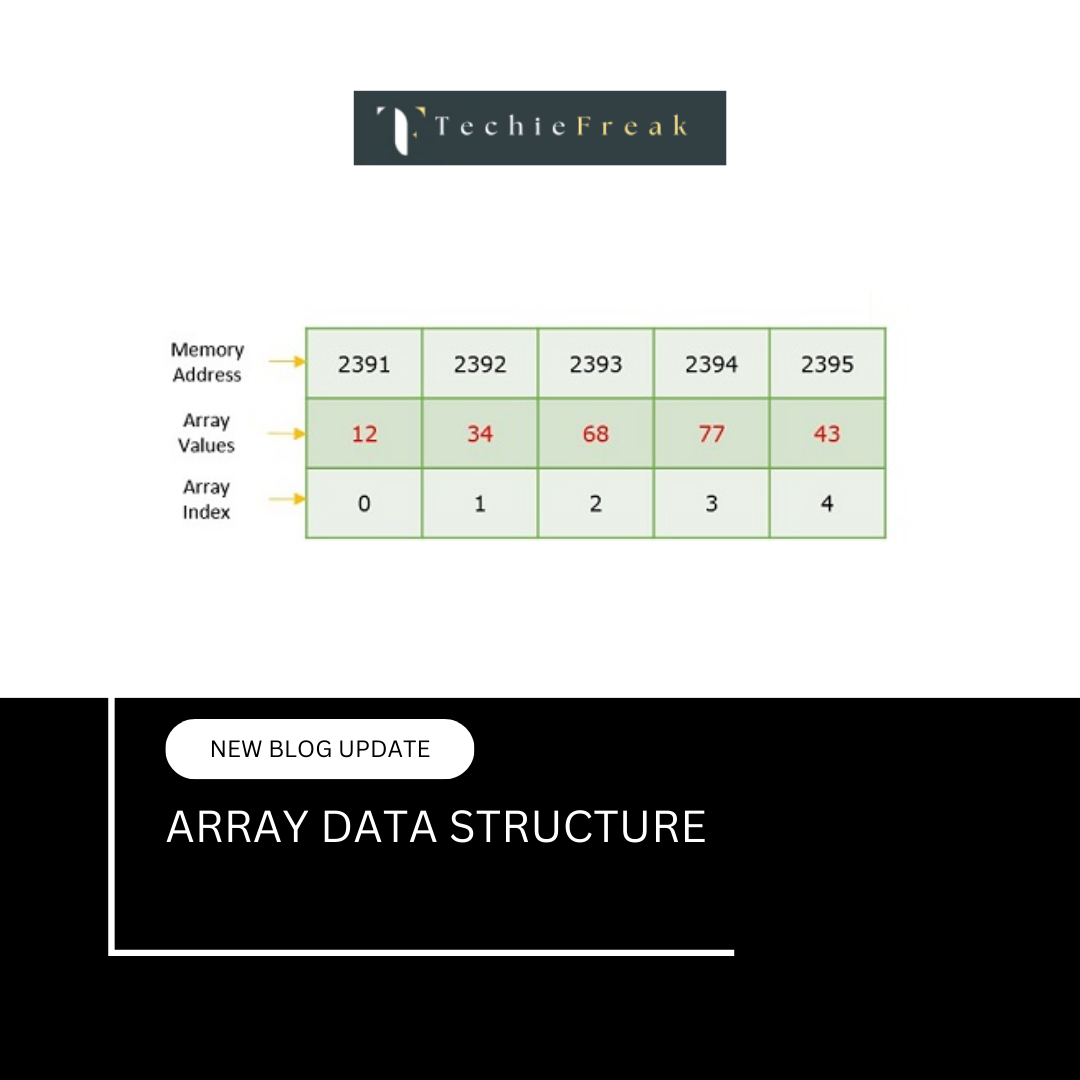
It allows storing elements in contiguous memory locations, just like arrays, but with the added ability to grow and shrink at runtime.
At a conceptual level, a vector solves the biggest limitation of C-style arrays:
fixed size at compile time.
A vector automatically manages memory allocation, resizing, and element shifting while still preserving fast random access.
2. Why Vectors Were Introduced
C-style arrays:
- Require fixed size
- Cannot be resized safely
- Expose raw memory management
- Lead to buffer overflows and memory bugs
Vectors were introduced to:
- Provide dynamic resizing
- Maintain array-like performance
- Reduce memory-related errors
- Support generic programming via templates
Vectors combine:
- Performance of arrays
- Flexibility of dynamic memory
- Safety of standard library abstractions
3. Key Properties of Vector
A vector has three fundamental properties:
- Contiguous memory storage
- Dynamic resizing
- Random access
Because of contiguous storage:
- v[i] works in constant time
- Cache locality is preserved
- Interoperability with C arrays is possible
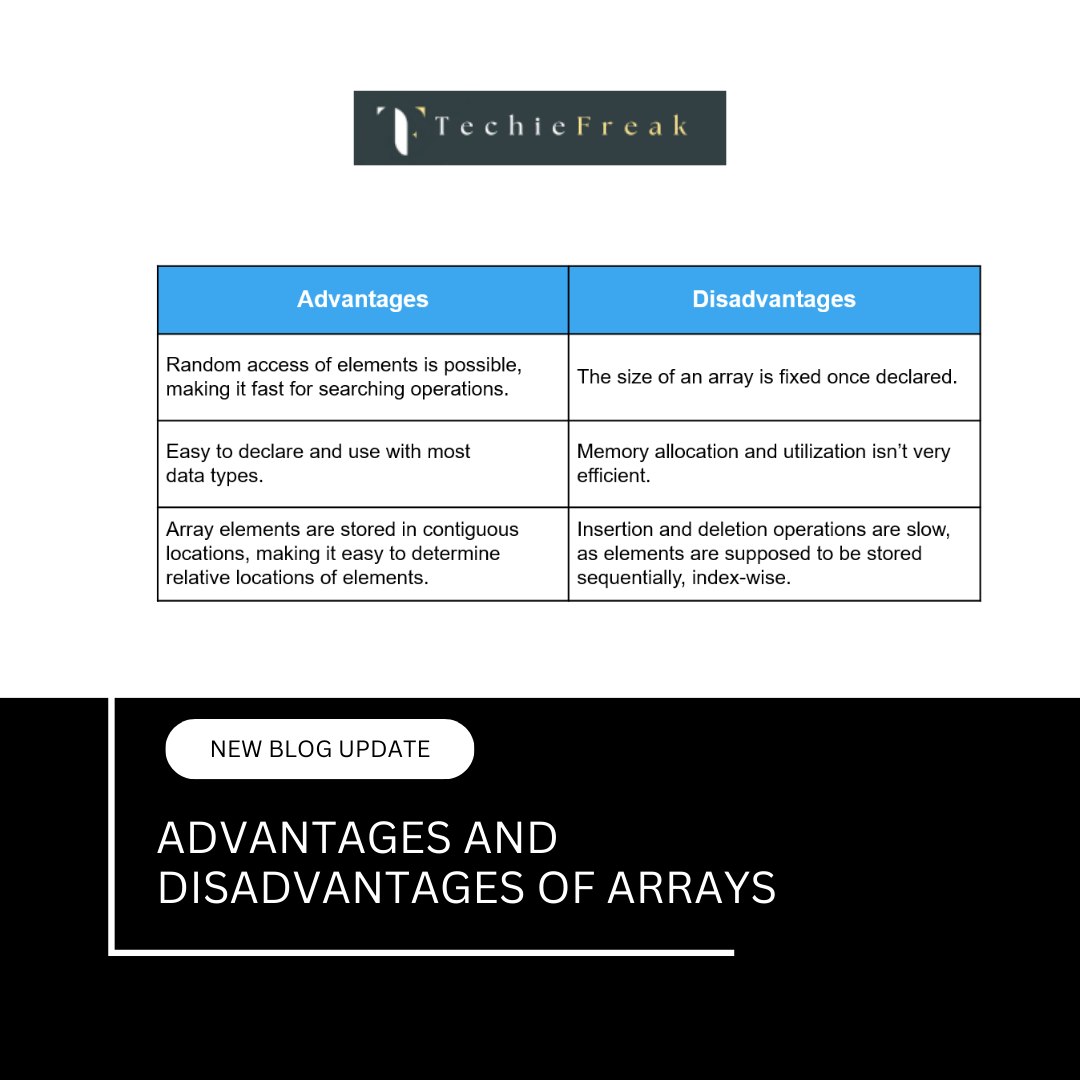
4. Vector vs Array (Core Difference)
| Feature | Array | Vector |
|---|---|---|
| Size | Fixed | Dynamic |
| Memory | Stack / static | Heap |
| Resize | Not possible | Automatic |
| Safety | No bounds check | Optional |
| STL support | No | Yes |
Vectors internally use dynamic memory allocation, typically via the heap.
5. How Vector Is Stored in Memory
A vector internally maintains three pointers:
- Begin pointer – start of allocated memory
- End pointer – end of used elements
- Capacity pointer – end of allocated memory
Conceptually:
| element | element | element | free | free | free |
^         ^                   ^
begin     end                 capacity
This structure explains:
- Difference between size and capacity
- Why reallocation happens
- Why push_back is amortized O(1)
6. Size vs Capacity
Size
- Number of elements currently stored
Capacity
- Total number of elements vector can store without reallocating
Code Example
#include
#include
using namespace std;

int main() {
    vector v;
    cout << v.size() << endl;
    cout << v.capacity() << endl;
}
Initially:
- size = 0
- capacity = implementation dependent (often 0)
7. Vector Growth Strategy (Amortized Analysis)
When a vector becomes full and a new element is inserted:
- A new larger block is allocated
- Existing elements are copied or moved
- Old memory is released
Most implementations:
- Double the capacity
- Sometimes increase by factor of 1.5
This is why:
- push_back() is amortized O(1)
- Worst case insertion is O(n)
8. Declaring and Initializing Vectors
Basic Declaration
vector v;
With Initial Size
vector v(5);
With Initial Values
vector v(5, 10);
Using Initializer List
vector v = {1, 2, 3, 4};
9. Accessing Elements in Vector
Using Index
v[2]
No bounds checking.
Using at()
v.at(2)
- Performs bounds checking
- Throws exception if invalid
Using Front and Back
v.front();
v.back();
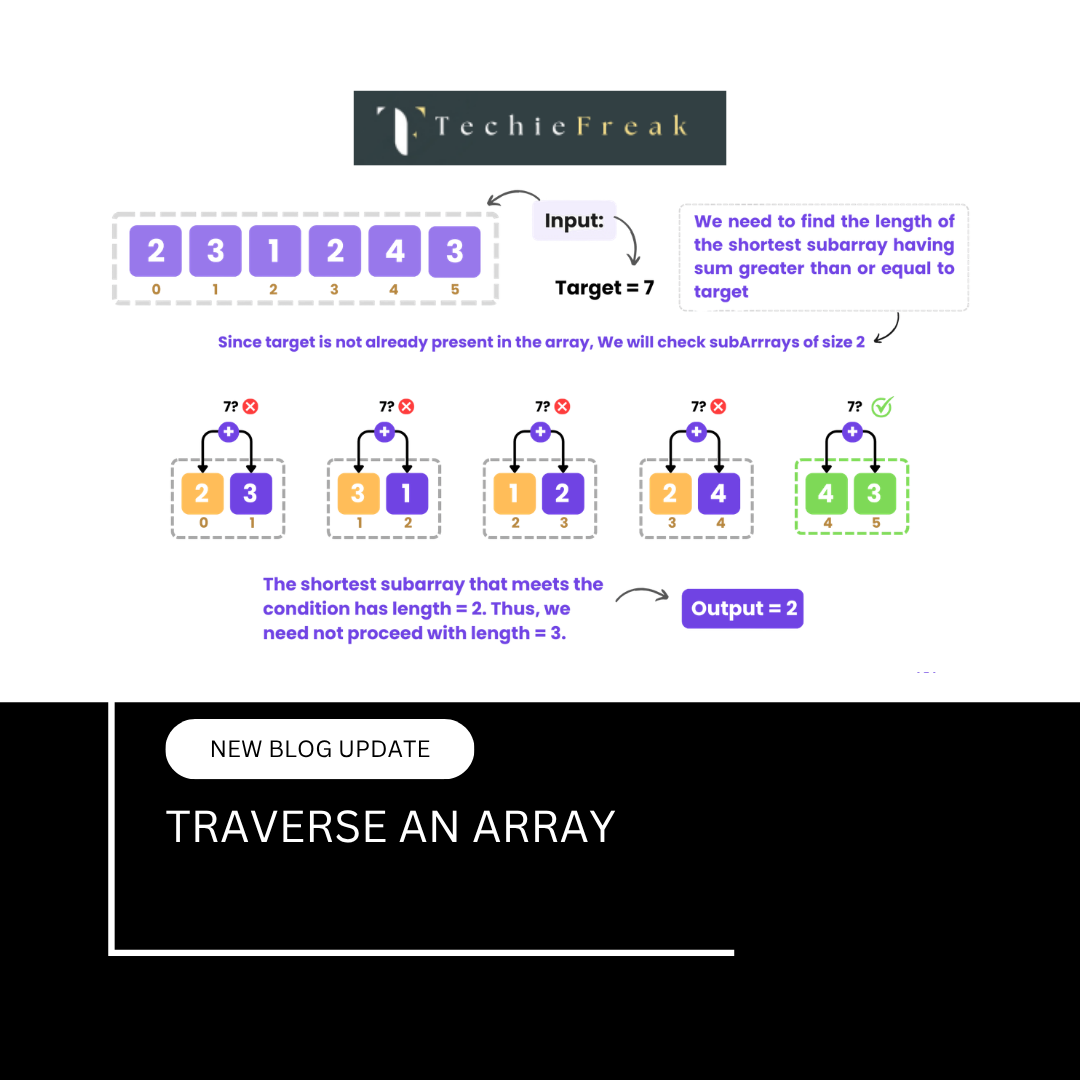
10. Traversing a Vector (All Methods)
Using Index
for(int i = 0; i < v.size(); i++)
    cout << v[i];
Using Range-Based Loop
for(int x : v)
    cout << x;
Using Iterators
for(auto it = v.begin(); it != v.end(); it++)
    cout << *it;
Iterators are preferred in STL algorithms.
11. Insertion Operations in Vector
push_back()
Adds element at the end.
v.push_back(10);
Time Complexity:
- Amortized O(1)
- Worst case O(n)
insert() at Specific Position
v.insert(v.begin() + 2, 50);
This requires:
- Shifting elements
- Possible reallocation
Time Complexity:
- O(n)
12. Deletion Operations in Vector
pop_back()
v.pop_back();
Time Complexity:
- O(1)
erase()
v.erase(v.begin() + 1);
Time Complexity:
- O(n)
13. Clearing and Shrinking Vector
clear()
Removes all elements, capacity unchanged.
v.clear();
shrink_to_fit()
Requests capacity reduction.
v.shrink_to_fit();
Note:
- This is a non-binding request
- Compiler may ignore it
14. Vector and Memory Reallocation
#include
#include
using namespace std;

int main() {
    vector v;

    for(int i = 0; i < 10; i++) {
        v.push_back(i);
        cout << "Size: " << v.size()
             << " Capacity: " << v.capacity() << endl;
    }
}
This program clearly shows:
- Capacity growth
- Reallocation pattern
15. Vector of Objects
Vectors store objects by value.
vector students;
Each object:
- Is constructed
- Copied or moved during reallocation
- Destroyed when vector is destroyed
This makes understanding copy and move semantics important.
16. Vector and Pointers
You can access underlying array:
int* p = v.data();
Important:
- Pointer becomes invalid after reallocation
- Never store raw pointers to vector elements permanently
17. Vector vs Dynamic Array (malloc / new)
| Feature | Vector | malloc/new |
|---|---|---|
| Resize | Automatic | Manual |
| Safety | High | Low |
| Memory leaks | Rare | Common |
| Exceptions | Supported | Manual |
| STL support | Full | None |
Vectors should be preferred in almost all cases.
18. Time Complexity Summary
| Operation | Complexity |
|---|---|
| Access | O(1) |
| push_back | Amortized O(1) |
| insert | O(n) |
| erase | O(n) |
| search | O(n) |
| resize | O(n) |
19. Common Mistakes with Vectors
- Assuming capacity equals size
- Holding invalidated iterators
- Excessive insertions in middle
- Forgetting reallocation cost
- Using vector when frequent insertions are needed
20. When to Use Vector and When Not To
Use Vector When:
- Frequent access is required
- Size grows dynamically
- Memory safety matters
Avoid Vector When:
- Frequent insertions in middle
- Very large data with strict memory constraints
- Linked behavior is required
Relationship with Other Topics
This topic connects to:
- Arrays in C
- Array Operations and Complexity
- Dynamic Memory Allocation
- STL Containers
- Amortized Analysis
What to Read Next
After understanding vectors, the next natural comparison is:
.png)
.png)
.png)
.png)
.png)
.png)
.png)
.png)
.png)
.png)
.png)
.png)
.png)
.png)
.png)
.png)
.png)
.png)
.png)
.png)
.png)
.png)
.png)
.png)
.png)
.png)
.png)
.png)
.png)
.png)
.png)
.png)
.png)
.png)
.png)
.png)
.png)
.png)
.png)
.png)
.png)
.png)
.png)
.png)
.png)
.png)
.png)
.png)
.png)
.png)
.png)
.png)
.png)
.png)
.png)
.png)
.png)
.png)
.png)
.png)
.png)
.png)
.png)
.png)
.png)
.png)
.png)
.png)
.png)
.png)
.png)
.png)
.png)
.png)
.png)
.png)
.png)
.png)
.png)
.png)
.png)
.png)
.png)
.png)
.png)
.png)
.png)
.png)
.png)
.png)
.png)
.png)
.png)
.png)
.png)
.png)
.png)
.png)
.png)
.png)
.png)
.jpg)
.png)
.jpg)
.jpg)
.png)
