.png)
Arrays and ArrayList in Java
A Deep Comparison with Internal Working and Practical Examples
Introduction
Java provides two primary ways to store a collection of elements:
- Arrays
- ArrayList
Although both are used to store multiple values, they differ significantly in terms of memory management, flexibility, performance, and internal implementation.
Understanding these differences is crucial for:
- Writing efficient Java programs
- Making correct design decisions
- Performing well in interviews and real-world applications
This article explores Arrays and ArrayList in Java at an internal level, supported by practical code examples.
1. Arrays in Java
What Is a Java Array?
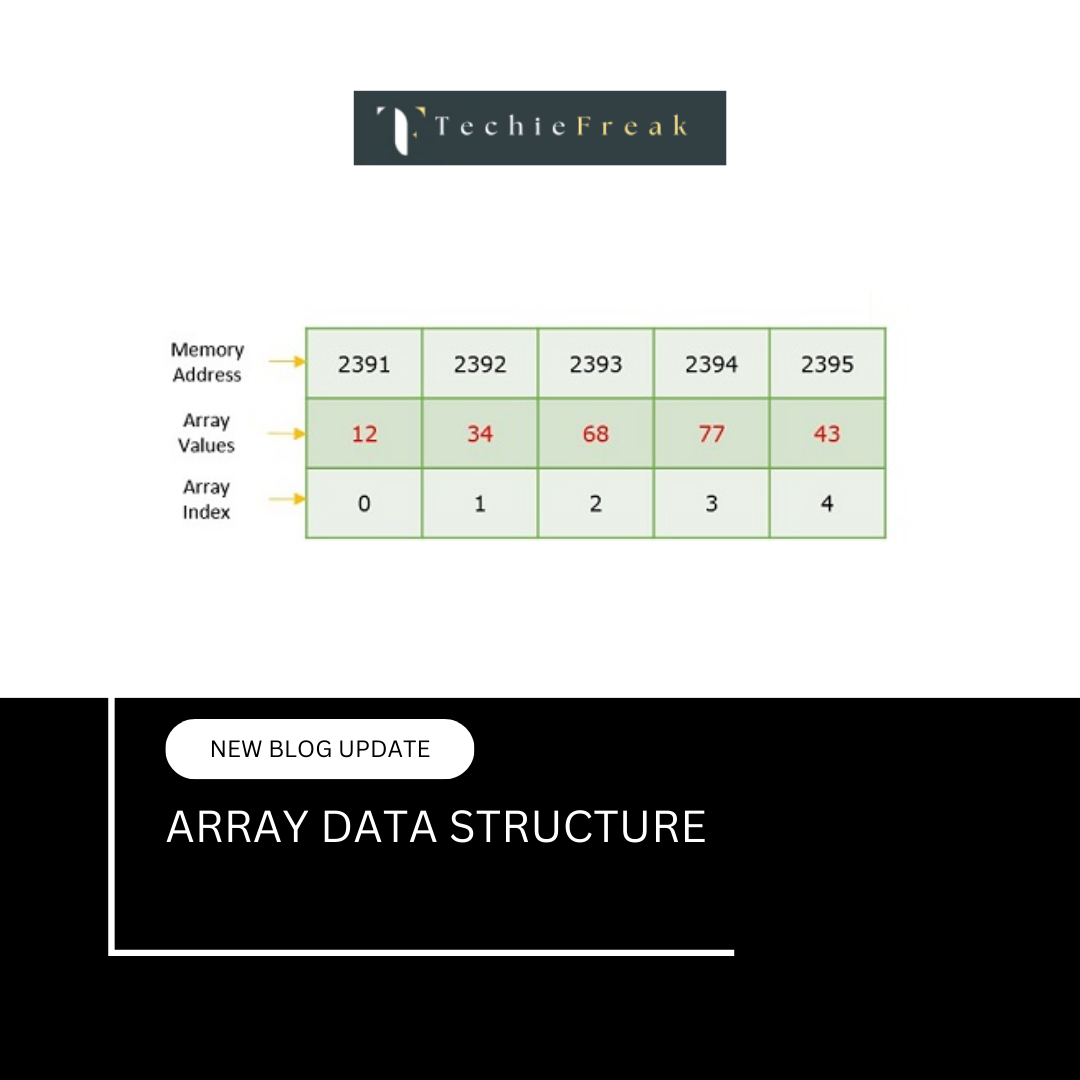
A Java array is an object that stores elements of the same data type in contiguous memory locations.
Example:
int[] arr = new int[5];
Important characteristics:
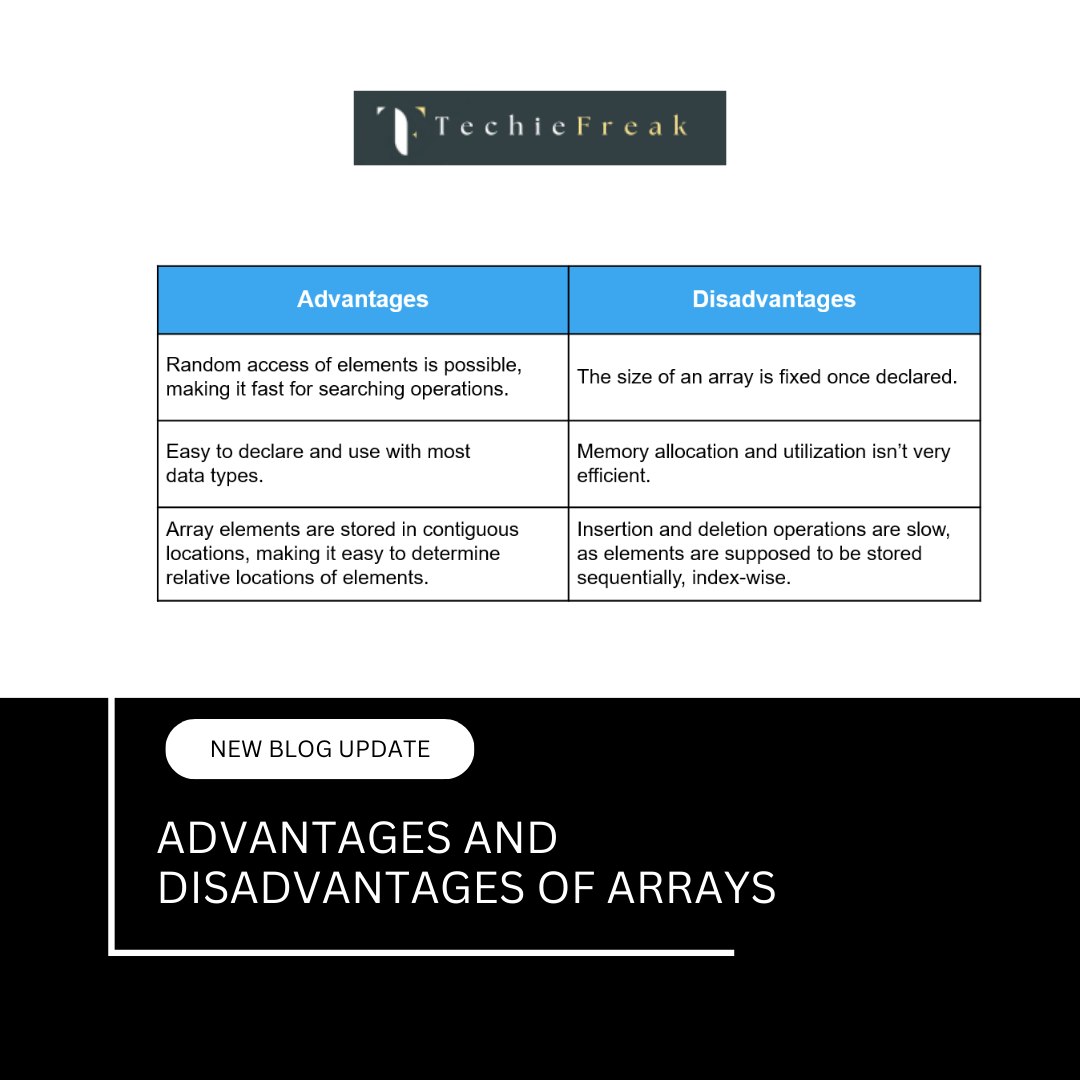
- Fixed size (cannot be resized)
- Stores primitive values directly
- Index-based access
- Zero-based indexing
Memory Representation of Java Arrays
Java arrays are stored in the heap memory.
For primitive arrays:
- Actual values are stored contiguously
For object arrays:
- References are stored contiguously
- Objects themselves may be scattered in memory
Example:
Integer[] arr = new Integer[3];
Here:
- arr stores references
- Each Integer object is separate
Array Size Limitation
Once an array is created:
int[] arr = new int[5];
Its size:
- Cannot be increased
- Cannot be decreased
To change size:
- A new array must be created
- Elements must be copied manually
2. ArrayList in Java
What Is an ArrayList?
ArrayList is a resizable array implementation of the List interface in Java.
ArrayList list = new ArrayList<>();
Internally:
- Uses an array to store elements
- Automatically resizes when full
- Handles memory management internally
Internal Structure of ArrayList
ArrayList maintains:
- An internal array Object[] elementData
- A size variable to track current elements
Simplified internal view:
Object[] elementData;
int size;
Dynamic Resizing Mechanism
When the internal array becomes full:
- A new larger array is created
- Existing elements are copied
- Old array is discarded
Growth formula (Java 8+):
newCapacity = oldCapacity + (oldCapacity >> 1)
This increases capacity by 50%.
3. Type System Difference (Primitive vs Wrapper)
Arrays Support Primitive Types
int[] arr = {1, 2, 3};
ArrayList Does NOT Support Primitives
ArrayList list; // Invalid
Correct:
ArrayList list = new ArrayList<>();
This introduces:
- Autoboxing
- Additional memory overhead
- Slight performance cost
4. Accessing Elements (Performance)
Array Access
arr[2];
- Direct memory access
- O(1)
ArrayList Access
list.get(2);
- Bounds checking
- Method call overhead
- Still O(1)
Arrays are slightly faster due to lower overhead.
5. Insertion and Deletion
Arrays
- Insertion requires shifting
- Deletion requires shifting
- Size cannot change
Time Complexity:
- O(n)
ArrayList
- End insertion: amortized O(1)
- Middle insertion: O(n)
- End deletion: O(1)
- Middle deletion: O(n)
ArrayList is better for dynamic data.
6. Memory Usage Comparison
| Aspect | Array | ArrayList |
|---|---|---|
| Size | Fixed | Dynamic |
| Primitive storage | Yes | No |
| Extra overhead | No | Yes |
| Resizing cost | Manual | Automatic |
Arrays are more memory-efficient for primitives.
7. Iteration Performance
Array
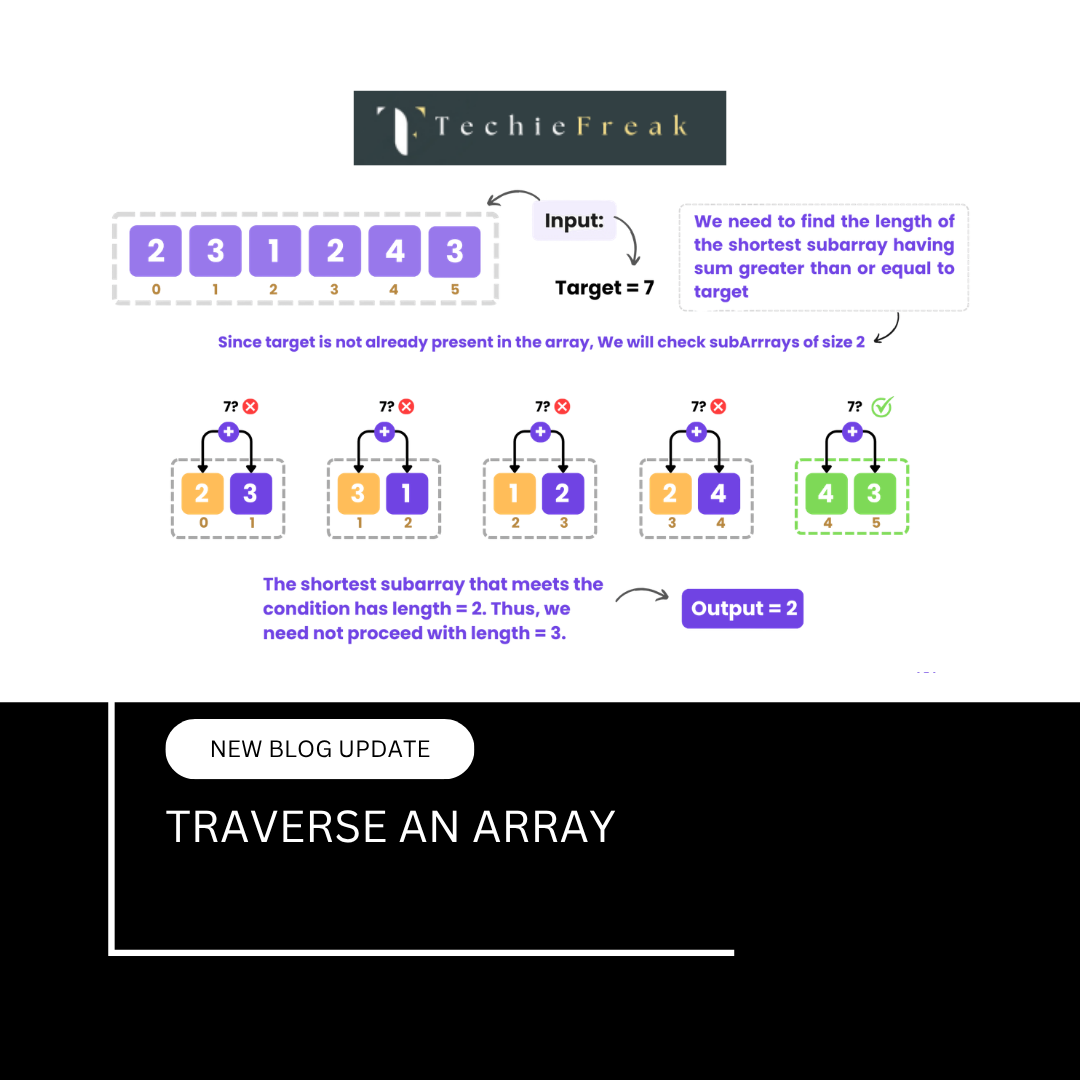
for(int i = 0; i < arr.length; i++)
ArrayList
for(int i = 0; i < list.size(); i++)
Arrays are marginally faster due to:
- No method calls
- No boxing/unboxing
8. Safety and Bounds Checking
| Feature | Array | ArrayList |
|---|---|---|
| Bounds check | Yes | Yes |
| Exception | ArrayIndexOutOfBoundsException | IndexOutOfBoundsException |
| Resize safety | No | Yes |
ArrayList provides better safety for resizing.
9. Flexibility and API Support
Arrays:
- Limited utility methods
- Need Arrays class
ArrayList:
- Rich API
- Sorting, searching, bulk operations
- Stream support
10. Practical Example: Array vs ArrayList
Using Array
int[] arr = new int[3];
arr[0] = 10;
arr[1] = 20;
arr[2] = 30;
Using ArrayList
ArrayList list = new ArrayList<>();
list.add(10);
list.add(20);
list.add(30);
ArrayList code is more flexible and readable.
11. When to Use Arrays in Java
Use arrays when:
- Size is fixed
- Primitive performance matters
- Low memory overhead is required
- Working with low-level APIs
12. When to Use ArrayList in Java
Use ArrayList when:
- Size changes dynamically
- Frequent insertions at end
- Collection framework features needed
- Clean, maintainable code is preferred
13. Interview Perspective (Very Important)
Common interview questions:
- Why ArrayList is slower than array?
- How does ArrayList resize internally?
- Why ArrayList cannot store primitives?
- Difference between size and capacity?
Knowing internals gives strong answers.
Relationship with Other Topics
This topic connects to:
- Vector in C++ STL
- Arrays in C
- Dynamic Memory Allocation
- Java Collections Framework
What to Read Next
After Java comparison, the next logical topic is:
List in Python (Internal Working and Resizing)
.png)
.png)
.png)
.png)
.png)
.png)
.png)
.png)
.png)
.png)
.png)
.png)
.png)
.png)
.png)
.png)
.png)
.png)
.png)
.png)
.png)
.png)
.png)
.png)
.png)
.png)
.png)
.png)
.png)
.png)
.png)
.png)
.png)
.png)
.png)
.png)
.png)
.png)
.png)
.png)
.png)
.png)
.png)
.png)
.png)
.png)
.png)
.png)
.png)
.png)
.png)
.png)
.png)
.png)
.png)
.png)
.png)
.png)
.png)
.png)
.png)
.png)
.png)
.png)
.png)
.png)
.png)
.png)
.png)
.png)
.png)
.png)
.png)
.png)
.png)
.png)
.png)
.png)
.png)
.png)
.png)
.png)
.png)
.png)
.png)
.png)
.png)
.png)
.png)
.png)
.png)
.png)
.png)
.png)
.png)
.png)
.png)
.png)
.png)
.png)
.png)

.jpg)
.png)
.jpg)
.jpg)
.png)
