.png)
Find the First Element of an Array
Problem Statement
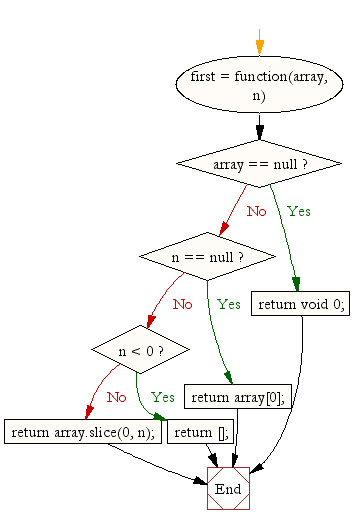
Given an array of elements, the task is to find and display the first element of the array.
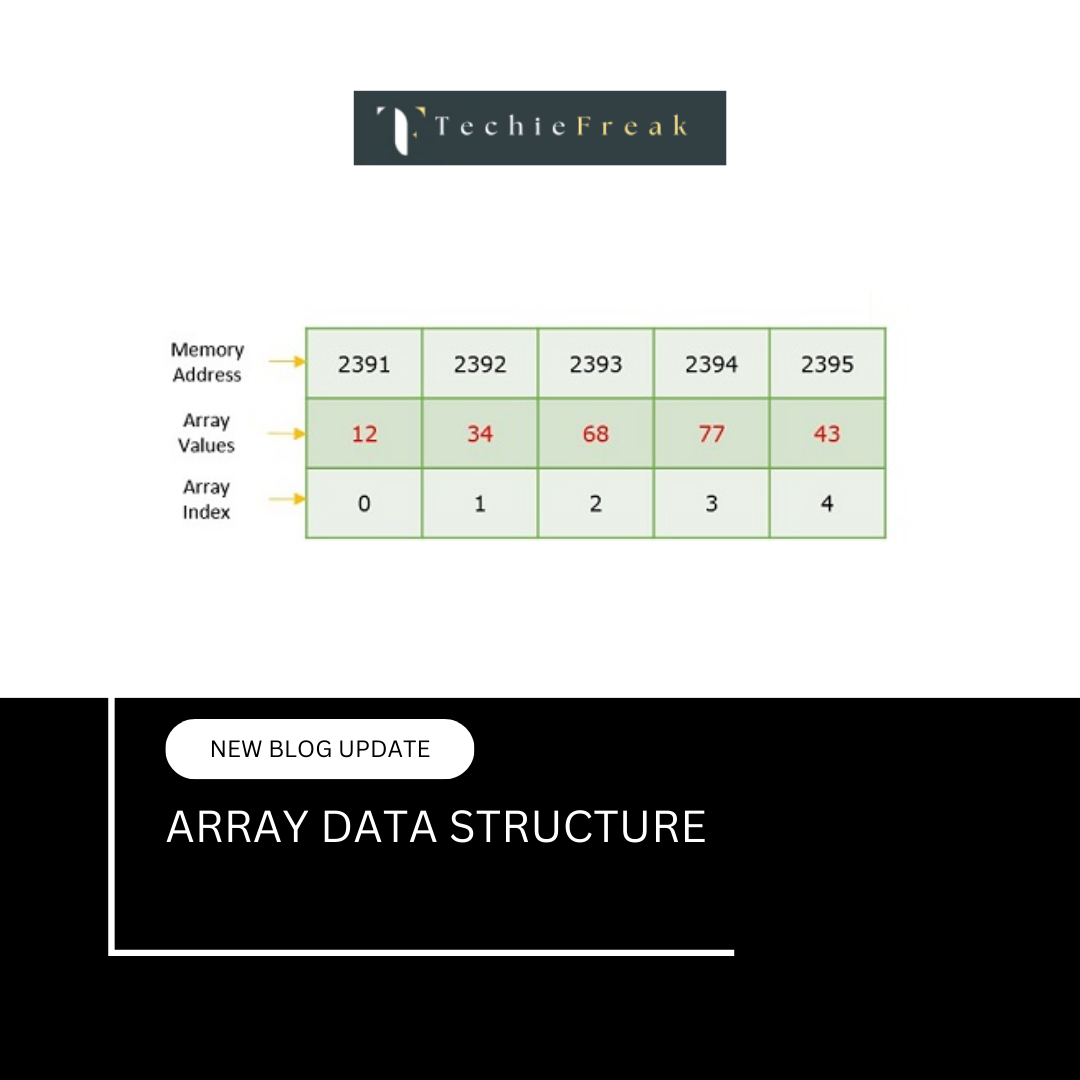
The first element of an array is the element stored at index 0, because arrays in most programming languages use zero-based indexing.
Why This Problem Is Important
Although this problem looks very simple, it introduces several core concepts that are essential for understanding arrays:
- Zero-based indexing
- How arrays store elements in memory
- Accessing elements using index
- Avoiding invalid memory access
This problem is often used to:
- Teach beginners array indexing
- Validate understanding of array structure
- Prepare for more complex problems like traversal, slicing, and subarrays
Input and Output Format
Input
Array: [25, 40, 15, 60, 10]
Output
First Element of the Array: 25
Key Concept
- Arrays store elements in continuous memory
- The first element is always at index 0
- Accessing arr[0] gives the first element
- Accessing index beyond array size causes runtime errors
Important Conditions
Before accessing the first element:
- Ensure the array is not empty
- An empty array does not have a first element
Step-by-Step Algorithm
- Check if the array has at least one element
- Access the element at index 0
- Print the value
Pseudocode
if array length > 0:
    print arr[0]
else:
    print "Array is empty"
Dry Run Example
Array = [25, 40, 15]

arr[0] = 25
Time and Space Complexity
| Metric | Value |
|---|---|
| Time Complexity | O(1) |
| Space Complexity | O(1) |
Language-wise Implementation
C Implementation
#include

int main() {
    int arr[] = {25, 40, 15, 60, 10};
    int n = sizeof(arr) / sizeof(arr[0]);

    if(n > 0) {
        printf("First Element of the Array: %d", arr[0]);
    } else {
        printf("Array is empty");
    }

    return 0;
}
Output
First Element of the Array: 25
C++ Implementation
#include
using namespace std;

int main() {
    int arr[] = {25, 40, 15, 60, 10};
    int n = sizeof(arr) / sizeof(arr[0]);

    if(n > 0)
        cout << "First Element of the Array: " << arr[0];
    else
        cout << "Array is empty";

    return 0;
}
Output
First Element of the Array: 25
Java Implementation
public class Main {
    public static void main(String[] args) {
        int[] arr = {25, 40, 15, 60, 10};

        if(arr.length > 0)
            System.out.println("First Element of the Array: " + arr[0]);
        else
            System.out.println("Array is empty");
    }
}
Output
First Element of the Array: 25
Python Implementation
arr = [25, 40, 15, 60, 10]

if len(arr) > 0:
    print("First Element of the Array:", arr[0])
else:
    print("Array is empty")
Output
First Element of the Array: 25
C# Implementation
using System;

class Program {
    static void Main() {
        int[] arr = {25, 40, 15, 60, 10};

        if(arr.Length > 0)
            Console.WriteLine("First Element of the Array: " + arr[0]);
        else
            Console.WriteLine("Array is empty");
    }
}
Output
First Element of the Array: 25
JavaScript Implementation
let arr = [25, 40, 15, 60, 10];

if (arr.length > 0) {
    console.log("First Element of the Array:", arr[0]);
} else {
    console.log("Array is empty");
}
Output
First Element of the Array: 25
Common Mistakes
- Forgetting that arrays start at index 0
- Accessing arr[1] thinking it is the first element
- Not checking for empty array
- Confusing first element with smallest element
Interview Variations
- Find first element without using index
- Find first non-zero element
- Find first repeating element
- Find first element greater than K
Summary
Finding the first element of an array reinforces the concept of zero-based indexing, which is fundamental to all array operations. Although the logic is constant time and very simple, improper understanding can lead to index errors and runtime exceptions in real-world applications. By always validating array size before accessing elements, developers ensure safe and reliable code. This problem acts as a stepping stone toward mastering array traversal, subarray problems, and advanced indexing techniques.
.png)
.png)
.png)

.png)
.png)
.png)
.png)
.png)
.png)
.png)
.png)
.png)
.png)
.png)
.png)
.png)
.png)
.png)
.png)
.png)
.png)
.png)
.png)
.png)
.png)
.png)
.png)
.png)
.png)
.png)
.png)
.png)
.png)
.png)
.png)
.png)
.png)
.png)
.png)
.png)
.png)
.png)
.png)
.png)
.png)
.png)
.png)
.png)
.png)
.png)
.png)
.png)
.png)
.png)
.png)
.png)
.png)
.png)
.png)
.png)
.png)
.png)
.png)
.png)
.png)
.png)
.png)
.png)
.png)
.png)
.png)
.png)
.png)
.png)
.png)
.png)
.png)
.png)
.png)
.png)
.png)
.png)
.png)
.png)
.png)
.png)
.png)
.png)
.png)
.png)
.png)
.png)
.png)
.png)
.png)
.png)
.png)
.png)
.png)
.png)
.png)
.jpg)
.png)
.jpg)
.jpg)
.png)
